MyPortal – Now Improved!

MyPortal
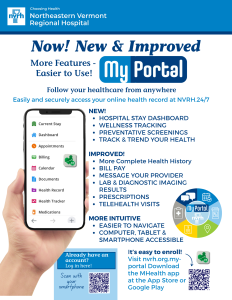
Beginning in May 2026, you’ll notice new improvements to the Patient Portal (MyPortal). Designed to give you more information, greater transparency and easier access to your health record than ever before. If you currently use our patient portal, your existing portal account will automatically transition to this new experience – no action is required. The Patient Portal (MyPortal) at NVRH still provides you access to your health information anytime – from anywhere. So you can stay informed, engaged, and in good health!
New updates at MyPortal.NVRH.org include:
- Improved User Experience – Now more intuitive and friendlier to use from your Smartphone, computer or tablet
- Current Stay Dashboard (for in-hospital stays) – Find key information about your hospitalization
- Wellness Panel & Preventative Care Tracking – See what’s due for screenings, labs and preventative care
- More Complete Health History – More thorough view of your clinical inforamtion over time
- Enhanced Virtual Visits – Join directly from your dashboard, invite a family member or caregiver, use chat and captions
- Track & Trends – View graphs of certain information to show changes, patterns and progress
Click here to see more upgrade details!
Key Features of using MyPortal include:
- Schedule Primary Care, Lab and Virtual appointments
- View your health record – update your personal information (profile)
- See upcoming appointments, certain lab reports, allergies, medications and conditions list
- Pre-Register for your upcoming Appointment – allows you to update your demographics, photo IDs, and insurance cards in advance of your appointment.
- Read reports from certain healthcare providers
- Message your healthcare providers
- Manage your prescriptions
- Pay your bill(s)
How to Enroll
- Enroll Online: You can start the process of enrollment by submitting the Patient Access Form. You can also fill in the forms for Proxy Access and Minor Patient Acess.
- Email Forms: Download and fill out the required forms, then email NVRH Health Information Management Dept.
- Patient Request: Patient Portal Enrollment Request
- Caregiver or Family Member Request: Proxy Access Request Form
- Minor Child Caregiver Request: Proxy Access Request Form Minor Child
- Or, Visit your Primary Care Provider’s office, or the NVRH Medical Records office located on the lower level of the main hospital building to get or drop off the completed forms.
Once your paperwork is completed and submitted, you will receive a time sensitive email within four days. The email from no-reply@nvrh.org will contain a link to the Patient Portal, a one-time user logon ID and a one-time use, case-sensitive password.
These items must be used within 72 hours of receiving the email. Click the link contained in the email. It will bring you to the screen below. Insert the email provided Logon 1D and Password in the appropriate fields. Click “Sign In.”
Check out our Frequently Asked Questions page for more information. Be sure to download our MHealth Mobile app to keep you connected to your healthcare information on the go.